
Introduction: The Hidden Risks of Our Connected World
The rapid and relentless proliferation of Internet of Things (IoT) devices—from smart refrigerators and voice assistants to security cameras and even connected children’s toys—has seamlessly woven digital technology into the very fabric of our daily physical lives, offering unprecedented levels of convenience and automation. While we readily embrace the comfort of adjusting our home thermostat from the office or streaming video of our doorstep in real-time, the immense speed of this technological adoption has unfortunately outpaced the industry’s collective attention to fundamental cybersecurity protocols and consumer awareness.
This disparity has created a vast and increasingly vulnerable digital surface area, transforming ordinary household items into potential entry points for malicious actors, allowing cybercriminals to bypass traditional network defenses and gain unauthorized access to our most private information and physical spaces. Unlike personal computers or smartphones, many of these small, inexpensive IoT gadgets are manufactured with minimal security features, often lacking even basic encryption or easy-to-use update mechanisms, rendering them dangerously susceptible to large-scale botnet attacks and persistent data harvesting.
Mastering the contemporary strategies necessary to secure this ever-growing network of connected devices is no longer a niche technical concern, but a mandatory defense strategy for maintaining personal privacy, financial security, and the integrity of the modern digital home.
Pillar 1: Understanding the Unique IoT Threat Landscape
IoT devices present fundamentally different security challenges than traditional computing devices like laptops or servers.
A. The Inherent Security Weaknesses of IoT
Design constraints and market pressures often lead to vulnerable products.
- Limited Processing Power: IoT gadgets are typically built with minimal processing power and memory. This limitation prevents them from running sophisticated security software, high-level encryption, or comprehensive firewalls.
- Default Credentials: Shockingly, a vast number of devices are shipped with hardcoded or easily guessed default usernames and passwords (e.g., “admin/123456”), which many consumers never change, offering hackers an open door.
- Lack of Updates: Manufacturers often prioritize releasing new products over supporting old ones, resulting in discontinued security updates for devices within a year or two, leaving discovered vulnerabilities permanently unpatched.
- Physical Insecurity: Many devices are physically accessible and lack basic anti-tampering features, making them vulnerable to hardware exploitation if an attacker gains physical access.
B. The Types of Cyber Threats
The risks range from minor annoyances to large-scale infrastructure damage.
- Data Harvesting: Hackers target devices like smart speakers and cameras to passively collect personal data, including voice patterns, movement schedules, and private conversations, for identity theft or targeted scams.
- Botnet Attacks (DDoS): Compromised IoT devices are often silently recruited into massive botnets, which are then used to launch powerful Distributed Denial of Service (DDoS) attacks against major websites or critical infrastructure.
- Ransomware and Cryptojacking: Attackers may seize control of a smart device, locking out the legitimate owneruntil a ransom is paid, or they might stealthily use the device’s minimal processing power for illegal cryptocurrency mining (cryptojacking).
- Physical Intrusion: Breaching smart locks, garage door openers, or security cameras can lead directly to physical intrusion or surveillance, turning a digital vulnerability into a real-world safety threat.
C. The Fragmentation Problem
The sheer variety of devices and operating systems complicates security efforts.
- Multiple Operating Systems (OS): Unlike a home network primarily running Windows and macOS, an IoT ecosystem involves dozens of proprietary, custom, or deeply modified Linux-based OS versions, each with its own vulnerabilities.
- Interoperability Risks: When devices from different manufacturers communicate, the weakest security link in the chain can expose the entire system to compromise.
- Hidden Microphones and Cameras: Users often fail to realize the full sensory capabilities of their smart devices, leaving them open to unexpected recording or surveillance without clear visual cues.
Pillar 2: The Foundation: Securing Your Home Network
The router and the way you segment your network are the primary lines of defense against IoT attacks.
A. Router Hardening and Updates
Your internet router is the central gateway; it must be completely locked down.
- Change Default Credentials: This is the most crucial first step. Immediately change the router’s default administrative username and password to a complex, unique combination.
- Router Firmware Updates: Regularly check and install the latest firmware updates for your router, as manufacturers constantly release patches for discovered vulnerabilities in the device’s core operating system.
- Disable Remote Management: Ensure that remote access or remote management of the router is disabled. This prevents attackers from trying to access your router’s control panel from outside your home network.
- Strong Wi-Fi Passwords: Use a strong, complex password (WPA3 or WPA2 encryption) for your primary Wi-Fi network that is at least 15 characters long, combining letters, numbers, and symbols.
B. Implementing Network Segmentation (VLANs)
Isolating your untrusted IoT devices from your sensitive devices is essential.
- The IoT Sandbox: Create a separate Guest Network or Virtual Local Area Network (VLAN) specifically for all your IoT devices, cameras, and smart plugs. This acts as a sandbox.
- Isolation Principle: This isolation principle ensures that if a vulnerable smart camera is compromised, the attacker cannot use that entry point to “pivot” and access your computer, bank accounts, or work files on the primary network.
- Limited Access: Configure your router to ensure devices on the IoT VLAN cannot communicate with devices on the main VLAN, limiting the lateral spread of any malware.
C. Using a Quality Security Suite
Layering security software provides monitoring and filtration.
- Network Monitoring: Install a network security appliance or software that actively monitors traffic entering and leaving your network, looking for suspicious activity characteristic of botnet communication.
- Ad-Blocking and DNS Filtering: Utilize DNS filtering services to block known command-and-control servers used by malware, preventing compromised devices from connecting back to their hacker owners.
- Intrusion Detection Systems (IDS): For advanced users, deploying an Intrusion Detection System (IDS) can alert you to patterns of traffic that indicate unauthorized scanning or access attempts on your network.
Pillar 3: Device-Specific Security Protocols
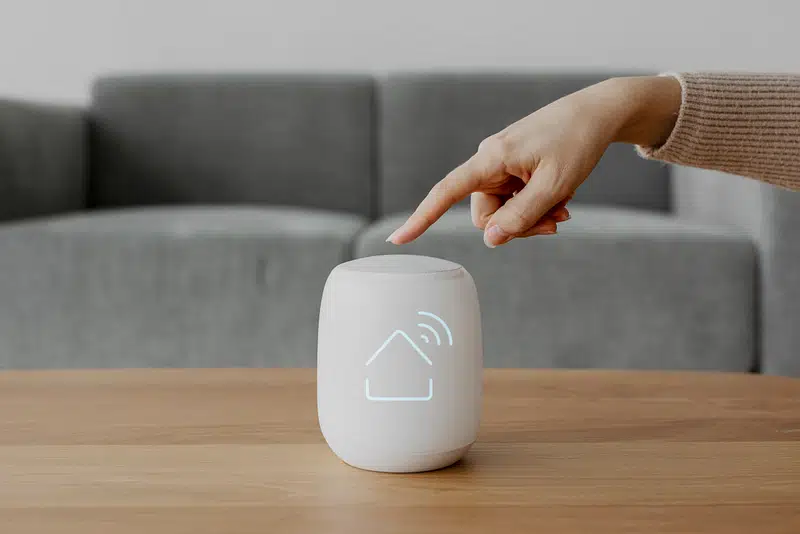
Once the network is secured, focus must shift to hardening each individual IoT gadget.
A. Immediate Credential Change
This simple, mandatory step closes the most common vulnerability vector.
- First Action: Immediately after purchasing and powering on any new smart device, the first configuration action must be changing the default username and password to something unique and highly complex.
- Unique Credentials: Never reuse passwords across multiple smart devices. Use a password manager to generate and securely store unique, long passwords for every camera, speaker, and lock.
- Disable Unused Services: Access the device’s configuration settings and disable any unused services (like Telnet, SSH, or UPnP), minimizing the potential attack surface.
B. Regular Firmware Audits
Stay proactive in ensuring your devices have the latest manufacturer security patches.
- Manual Check: Since many IoT devices don’t automatically update, set a quarterly reminder to manually check the manufacturer’s website for new firmware versions for your smart cameras and hubs.
- App Updates: Ensure the mobile companion app for the device is always updated through your smartphone’s app store. The app often contains the interface and security controls for the device.
- EOL Policy: Before buying, research the manufacturer’s End-of-Life (EOL) policy. Avoid brands that cease security support after a very short period.
C. Thoughtful Placement and Control
Physical placement can dramatically affect digital security.
- Privacy Shields: Use physical lens covers or privacy shields on smart cameras and webcams when they are not actively needed for monitoring, especially in bedrooms or private offices.
- Microphone Mutes: Make it a habit to physically mute the microphone on smart speakers and voice assistants when they are not in use, adding a layer of protection against unauthorized listening.
- Power Cycling: Periodically power cycle (turn off and on) devices, particularly simple smart plugs and bulbs, as this can interrupt ongoing malware or malicious communication sessions.
Pillar 4: Advanced Defense Strategies
For comprehensive protection, travelers and business users need to implement additional technological layers.
A. Using Virtual Private Networks (VPNs)
A VPN adds a layer of encryption and masks your location.
- Router-Level VPN: The most secure method is to install a VPN directly on your home router. This ensures all traffic from every connected device, including the IoT sandbox, is encrypted by default.
- Encrypted Traffic: A VPN encrypts all data traveling between your home network and the VPN server. This prevents outsiders from intercepting and reading data transmitted by your smart devices.
- Travel Security: When traveling, always use a VPN on your laptop and phone to access your home smart devices (e.g., viewing a home security camera feed) to ensure the connection is secure from public Wi-Fi eavesdropping.
B. Network Traffic Monitoring and Analysis
Actively observe what your devices are doing on the network.
- Firewall Rules: Configure your router’s firewall to block all unsolicited incoming connections (ports) unless they are absolutely essential for a specific service to function.
- Monitoring Tools: Use network monitoring tools (like Wireshark or open-source solutions) to observe the types of external servers your smart devices are communicating with. Look for communication to unexpected foreign IP addresses or known bad actors.
- Outbound Blocking: Restrict the ability of your IoT devices to communicate with external servers except for those explicitly necessary for their operation, severely limiting botnet participation.
C. The Principle of Least Privilege
Give devices only the access they absolutely require to function.
- Restricted Permissions: When setting up a new device, review the permissions it requests. Does a smart light bulb really need access to your microphone or contacts? Deny unnecessary requests.
- Limited Cloud Service: Avoid connecting devices to manufacturer cloud services if a local-only control option is available. Local control reduces reliance on the security of the manufacturer’s remote servers.
- Physical Disconnect: If a device, like an old smart TV or fitness tracker, is no longer receiving security updates but is still used offline, physically disconnect it from the internet to prevent it from becoming a liability.
Pillar 5: Consumer Empowerment and Industry Responsibility
The long-term solution requires both informed consumers and responsible manufacturers.
A. Vetting Manufacturers Before Purchase
Choosing a reputable brand is the first step in digital defense.
- Security History: Research the manufacturer’s history of security breaches and responsiveness to past vulnerabilities. A company that quickly patches issues is generally more trustworthy.
- Clear Documentation: Look for products that come with clear, easy-to-read documentation on how to update firmware and change default credentials, demonstrating a commitment to user security.
- Local vs. Cloud: Prioritize devices that offer a strong option for local-only control and processing, minimizing the need to send private data to remote cloud servers.
B. Advocating for Stronger Standards
Consumers and regulators must push the industry toward mandatory security standards.
- Mandatory Patches: Support regulatory initiatives that would mandate minimum security standards for IoT devices, including the requirement for multi-year security support and easy update mechanisms.
- Security Labels: Push for clear, standardized security labels on packaging, similar to energy efficiency ratings, informing consumers about a product’s security support lifespan and encryption standards.
- Bug Bounty Programs: Only support companies that actively run Bug Bounty Programs, rewarding ethical hackers who responsibly discover and report security vulnerabilities.
C. Digital Detox and Auditing
Periodically simplifying your connected life is a form of maintenance.
- Device Inventory: Maintain a complete, accurate inventory of every smart device connected to your home network, including its purchase date and last firmware update date.
- The Digital Attic: Disconnect and retire any smart devices that are more than five years old or are confirmed to have reached their manufacturer’s EOL date, as they are unpatchable liabilities.
- Reset and Reconfigure: If you suspect a device has been compromised, perform a full factory reset and completely reconfigure its settings with new, stronger credentials.
Conclusion: The Mandate for Proactive Defense

Securing the Internet of Things is a continuous, layered challenge that demands proactive consumer diligence.
The core vulnerability stems from inherent device limitations and widespread reliance on easily guessed default credentials during initial setup. The fragmentation problem in the IoT ecosystem necessitates a strong, unified defense at the network level, isolating vulnerable devices from sensitive data.
The most critical first steps involve immediate password changes on both the router and every individual device, closing the most exploited digital backdoors. Network segmentation via a dedicated Guest or VLAN for all IoT gadgets acts as an essential firewall, preventing a breach from spreading laterally across the home network.
Travelers and remote workers should implement a router-level VPN to encrypt all device traffic, protecting sensitive communication from surveillance or interception. Consistent manual audits of device firmware and companion app updates are necessary, as manufacturers often fail to push these critical security patches automatically.
Consumers must demand greater transparency and longer security support lifespans from manufacturers to ensure their connected homes do not become obsolete security risks within a few short years. This proactive, defense-in-depth approach is essential to preserve the convenience of smart technology without compromising personal security.