Introduction: The Promise of the Truly Connected Home
For many years, the concept of the “smart home” existed largely as a fragmented collection of disparate gadgets, where a smart speaker, a separate thermostat, and a few smart bulbs operated in isolation, requiring three different apps and three complex setup processes to achieve minimal functionality. This early stage of home automation, characterized by complexity and incompatibility, often led to frustration rather than the promised convenience, leaving homeowners with a collection of high-tech devices that rarely communicated effectively or operated seamlessly together.
However, thanks to crucial industry advancements and the development of universal communication protocols like Matter and Thread, that era of disjointed technology is rapidly receding, paving the way for the sophisticated reality of the integrated, cohesive digital dwelling. The modern, powerful Home Hub has emerged as the central nervous system of this new ecosystem, serving as the essential translator, conductor, and commander that links every sensor, light, lock, and appliance into a singular, responsive, and intelligent unit.
Mastering the strategic selection and configuration of this crucial central hub is the definitive skill that separates a frustrating jumble of gadgets from a truly intuitive, automated, and personalized living environment that enhances security, optimizes energy use, and maximizes daily convenience.
Pillar 1: Understanding the Central Hub’s Core Function
The Home Hub is more than just a smart speaker; it is the vital processing core that enables all interconnected functionality.
A. The Protocol Translator
Different smart devices communicate using different, often incompatible, wireless languages.
- Zigbee and Z-Wave: Many dedicated security sensors and small, low-power devices use older, specialized protocols like Zigbee and Z-Wave that require a dedicated bridge or hub to connect to your Wi-Fi network.
- Thread and Matter: Modern hubs are designed to be a Thread Border Router and support the universal Matterstandard. This allows products from different brands to finally speak the same language effortlessly.
- Wi-Fi Bridging: The hub’s essential job is to translate these various protocols into the common language of your home’s Wi-Fi network and the wider internet, ensuring all devices can be controlled remotely.
B. Scene and Automation Engine
The hub is the brain that executes complex, multi-step sequences automatically.
- If This, Then That (IFTTT): The hub hosts the automation engine that allows you to create “recipes” or “routines”—complex chains of command that trigger automatically based on conditions or schedules.
- Local Processing: The best hubs perform critical automation tasks locally (on the device itself, not the cloud). This means your lights still turn on when you open the door, even if the internet goes out.
- Environmental Triggers: The hub manages the triggers, whether it’s the time of day, motion detection, geofencing(knowing when you are home), or the temperature reading from a sensor.
C. The Centralized User Interface (UI)
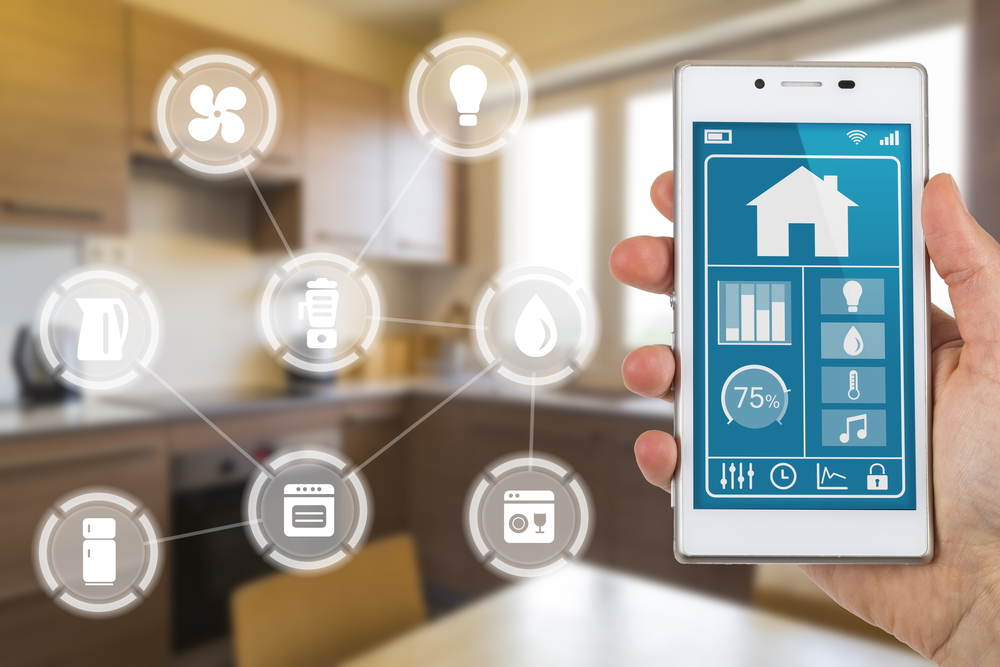
The hub provides a single point of control, eliminating the need for dozens of apps.
- Consolidated Dashboard: A well-integrated hub offers a single, unified app interface where you can see the status of every single device in your home, from the front door lock to the basement dehumidifier.
- Voice Command Manager: The hub acts as the primary voice command recipient (via integrated or connected smart speakers). It processes the command and directs the appropriate action to the correct device instantly.
- Physical Interface: Some advanced hubs feature a dedicated physical touchscreen panel that can be mounted on the wall, providing a highly reliable and immediate control point separate from your mobile phone.
Pillar 2: Selecting the Right Hub for Your Ecosystem
Choosing the primary hub often dictates which devices and automation features will be most accessible to you.
A. The Major Platform Contenders
The choice usually comes down to one of the three dominant technology ecosystems.
- Apple HomeKit (HomePod Mini/Apple TV): Best for users deeply invested in the Apple ecosystem who prioritize simplicity, stability, and unparalleled data privacy and security.
- Google Home (Nest Hub): Ideal for users who rely heavily on Google Assistant and Android devices. It excels at search-based commands, calendar integration, and comprehensive data services.
- Amazon Alexa (Echo Devices): The platform with the widest third-party device compatibility and the most expansive selection of voice “skills” for entertainment and utility.
B. The Dedicated Smarthome Hub
These devices are built purely for robust automation, offering deeper technical control.
- SmartThings Hub: Often favored by advanced automation enthusiasts because it supports a vast number of protocols (Zigbee, Z-Wave, and often Matter) and allows for complex custom coding of routines.
- Hubitat Elevation: Popular with users who want the absolute maximum level of local control and reliability. It runs automations entirely on the device itself, making it immune to internet outages.
- Integration Flexibility: Dedicated hubs often work alongside the major voice platforms, providing the technical backbone for connectivity while using Alexa or Google for the voice interface.
C. Evaluating Protocol Support
The hub must support the wireless protocols used by your most important devices.
- Thread Border Router: Ensure your chosen hub is a certified Thread Border Router. This new, mesh-based protocol is crucial for the future speed and reliability of low-power devices.
- Matter Compatibility: The hub must be Matter-compatible (either now or via a promised firmware update). Matter is the universal language that is solving cross-brand compatibility issues for good.
- Future-Proofing: Choosing a hub that supports all modern standards (Thread, Matter, Wi-Fi 6) ensures your investment will last for years as new devices enter the market.
Pillar 3: Maximizing Security Integration
The hub is the guardian of your home, and security should be one of its primary automated functions.
A. Smart Lock and Entry Management
Automated control of your access points eliminates key hassles and improves safety.
- Automatic Locking: The hub should be programmed to automatically check and lock all doors and windows at a specific time (e.g., 10:00 PM) or when the geofencing determines the house is empty.
- Remote Access: Use the hub’s app to securely grant temporary access codes to guests or service providers, and then instantly revoke access once the service is complete.
- Alerting System: If a lock is tampered with or fails to lock, the hub should immediately send a push notification and an audio alert through your smart speakers.
B. Integrated Security Cameras and Doorbells
The hub should centralize surveillance and notification systems.
- Unified Viewing: The main hub display (like a Nest Hub or wall panel) should be able to pull up the live video feedfrom your smart doorbell or security cameras with a simple voice command or tap.
- Recording Automation: Automate the camera system to only record and save clips when the security system is armed, saving cloud storage space and reducing review time.
- Two-Way Talk: The hub facilitates two-way audio communication through the doorbell, allowing you to speak to visitors even when you are halfway around the world.
C. Advanced Sensor Automation
Using small, low-cost sensors to enhance the security net.
- Contact Sensors: Place contact sensors on high-value cabinets or secondary doors (like a garage entry). If opened unexpectedly, the hub can trigger a siren and send an alert.
- Water Leak Detection: Integrate smart water leak sensors near water heaters or under sinks. If a leak is detected, the hub can send an alert and, in advanced setups, automatically trigger a smart shut-off valve.
- Smoke and Carbon Monoxide: Connect smart smoke and CO detectors to the hub. If an alarm sounds, the hub can be programmed to turn on all lights to aid evacuation and simultaneously call for help.
Pillar 4: Optimizing Energy and Climate Control
Smart integration is the single most effective way to cut down on utility bills and increase comfort.
A. Smart Thermostat Integration
The thermostat is one of the most important devices connected to the hub.
- Learning Behavior: The smart thermostat should be able to learn your daily routines and temperature preferences, automatically adjusting the HVAC system to save energy when you are away or asleep.
- Zone Control: If you have multiple smart vents or temperature sensors in different rooms, the hub manages the intricate communication needed for true zone heating and cooling, prioritizing the temperature in occupied rooms.
- Geo-Fencing: The hub uses geo-fencing (tracking your phone’s location) to ensure the house is heated or cooled to your comfort level just minutes before you return, eliminating waste during your commute.
B. Automated Lighting and Shading
Removing human error from lighting control creates maximum efficiency.
- Sunlight Harvesting: The hub can use external weather data or light sensors to automatically dim or brighten interior lights only to the level needed, leveraging available natural daylight.
- Scheduled Shading: Smart blinds or curtains can be automated to open in the morning (for light) and close during the hottest part of the day (to block solar heat gain), drastically reducing the load on the air conditioner.
- Vacation Mode: When you leave for a long trip, the hub activates a “Vacation Mode” routine that turns the thermostat down to a baseline and randomly turns lights on and off to simulate occupancy.
C. Smart Appliance Management
Connecting larger, high-draw appliances for peak efficiency.
- Peak Time Management: The hub can be set to delay the start of high-draw appliances (like the clothes dryer or dishwasher) until off-peak utility hours, saving money where time-of-use pricing is implemented.
- Notification of Completion: The hub sends a notification to your phone or smart speaker when the laundry or drying cycle is complete, ensuring clothes aren’t forgotten and get wrinkled.
- Energy Monitoring Plugs: Use smart plugs with integrated energy monitoring to track the exact electricity usage of any device, helping you identify energy vampires that need to be turned off automatically.
Pillar 5: Advanced Automation and Customization
The true power of the hub lies in its ability to facilitate complex, highly personalized “scenes.”
A. Creating the Perfect Scene Routine
Scenes are multi-step, contextual commands that control multiple devices simultaneously.
- “Good Morning” Scene: This scene should trigger when the alarm goes off. It slowly brightens the bedroom light, turns on the kitchen coffee maker, opens the blinds slightly, and plays the daily news brief through the speakers.
- “Movie Night” Scene: With one voice command, this routine dims the main lights to 10%, changes the entertainment lighting to a soft color, lowers the smart blinds, turns on the TV and soundbar, and sets the thermostat slightly cooler.
- “Leaving Home” Scene: When the last person leaves the geo-fence, the hub executes a routine that locks all exterior doors, turns off all lights and non-essential outlets, sets the alarm, and adjusts the temperature to an economy setting.
B. Integrating with Wellness and Health Tech
Connecting smart home functions to your personal health goals.
- Sleep Tracking: The hub can integrate with your wearable device’s sleep tracking data. If it detects you had poor sleep, it might delay your wake-up light or keep the coffee stronger.
- Air Quality Monitoring: Integrate a smart air quality monitor. If it detects a spike in pollutants or low humidity, the hub can automatically trigger the smart air purifier or humidifier.
- Bathroom Warm-Up: The hub can be programmed to pre-heat the bathroom floor (via a connected thermostat) or turn on a heat lamp 15 minutes before your scheduled morning alarm.
C. The Importance of Maintenance and Updates
A powerful system requires consistent care to remain reliable.
- Firmware Updates: Always ensure the hub is configured to automatically install firmware updates overnight. These updates often contain critical security patches and compatibility improvements.
- Network Health Check: Periodically check the mesh network health status within the hub’s app to ensure all devices are communicating strongly and none are acting as bottlenecks.
- Routine Audits: Regularly audit your custom routines. As you add new devices or change habits, older routines can become obsolete or conflict with new ones, leading to automation failures.
Conclusion: The Automated Future of Living
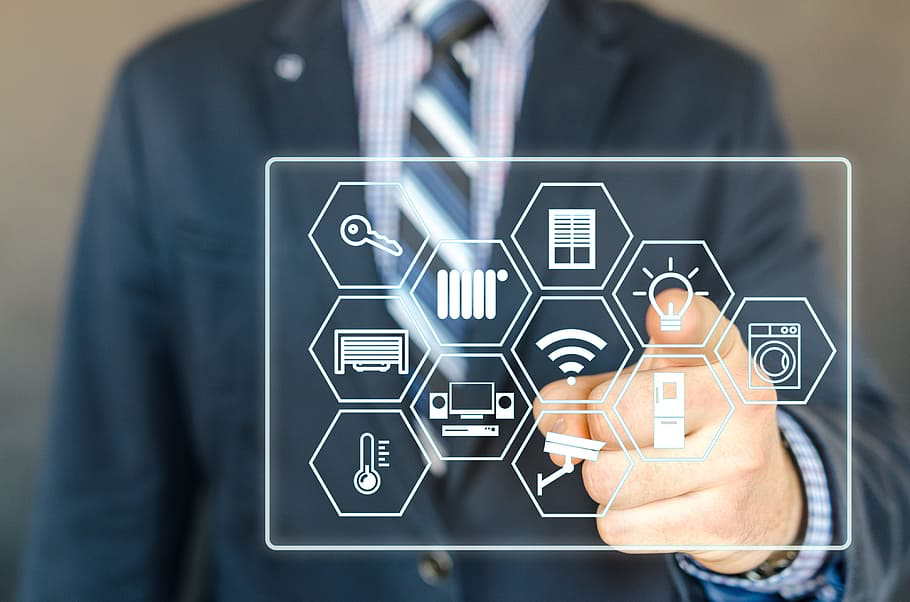
The Home Hub is the indispensable cornerstone that converts a collection of smart devices into a harmonious, intelligent living space.
Its primary function is to act as the crucial protocol translator, seamlessly bridging the communication gap between specialized devices using Zigbee, Z-Wave, and modern Matter standards. The hub serves as the powerful central automation engine, executing complex routines instantly and often locally, ensuring reliability even when the external internet connection fails.
In terms of security, the hub provides unified command over smart locks, doorbells, and advanced sensors, creating a cohesive, responsive defense system for the home. Strategic integration with the smart thermostat and lighting allows the hub to maximize energy savings through geo-fencing and automated sunlight harvesting, drastically cutting utility costs.
The true comfort delivered by the hub comes through highly personalized “scenes,” which allow a complex series of commands—like preparing for a “Movie Night”—to be executed with a single word. Mastering the configuration of a powerful hub is the ultimate investment in digital efficiency, moving the homeowner beyond simple gadgets into a truly automated lifestyle.
This focused integration transforms the mere residence into a responsive, intuitive, and secure digital dwelling.